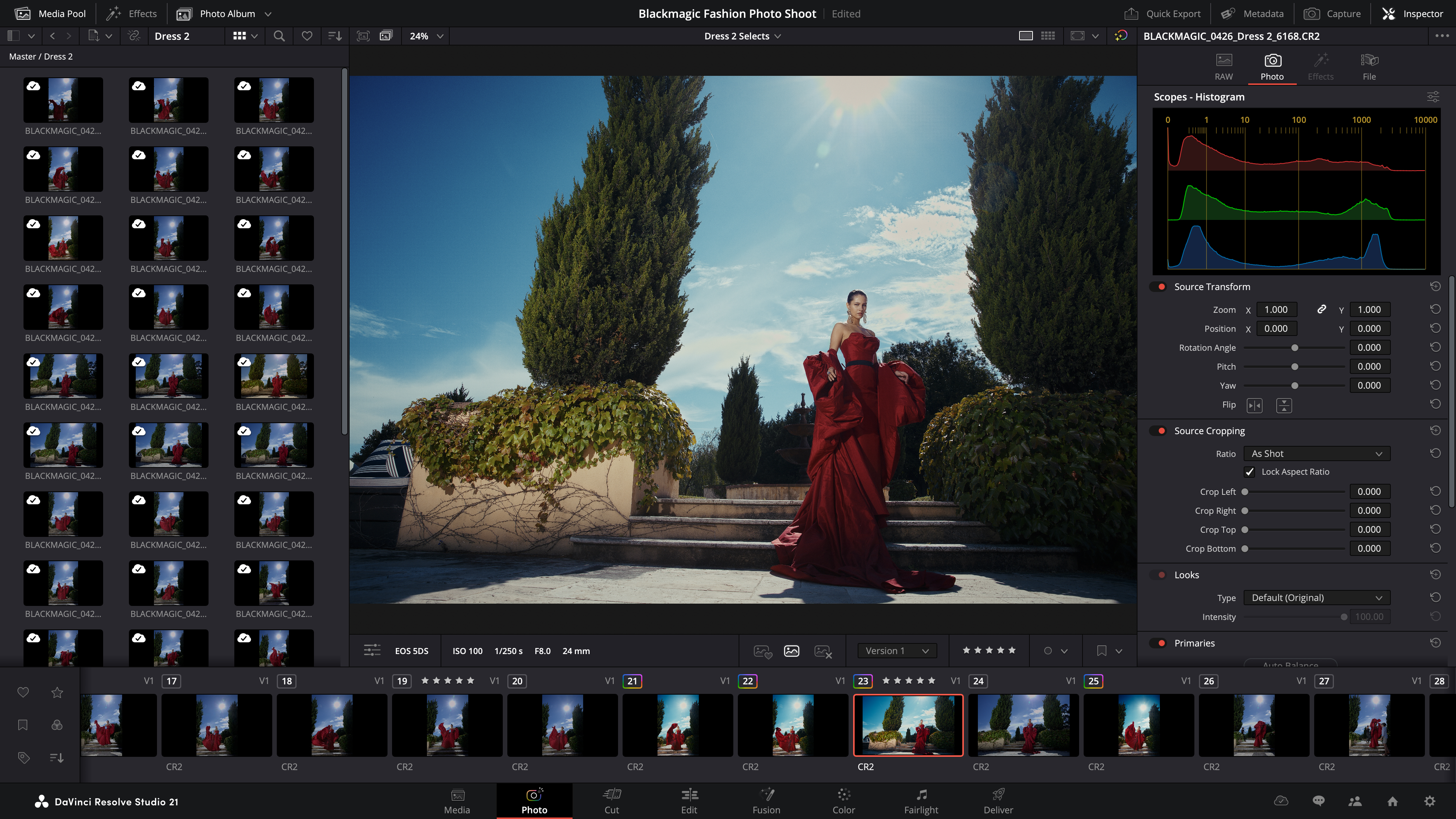
DaVinci Resolve 21 extends the application’s color grading toolset to still photography for the first time, meaning photographers can now apply primary color correction, curves, qualifiers, power windows, and node-based edits to stills, with changes held at the original source resolution. An additional LightBox view displays whole albums with grades applied, and Sony or Canon cameras can be tethered for direct capture into albums.
Unsurprisingly perhaps, much of this update centers on AI. A tool called IntelliSearch indexes media so editors can search for objects, spoken keywords, or specific faces. Meanwhile, CineFocus lets users shift a shot’s focal point after recording and add bokeh, while a set of facial tools can age or de-age subjects, reshape features, and remove blemishes.
Two further additions, UltraSharpen and Motion Deblur, are aimed at salvaging soft or blurry footage.
Elsewhere in the app, keyframing gains four-point Bezier easing and the ability to adjust multiple clips at once, and Fusion effects can now be tweaked directly from the Cut and Edit pages. Text handling also picks up multi-language spell check, a font browser, emoji support, and character-level styling. The Cut page now has smart bins, while a new MultiMaster trim manager lets colorists generate multiple HDR and SDR deliverables from a single timeline.
Resolve 21 also introduces native support for OGraf HTML graphics and Lottie animations, so users can now drag .json and .lottie files directly into the media pool, where they will be treated like fully rendered animation clips. There’s also a Picture in Picture effect, and expanded IntelliScript support for Final Draft and plain text screenplays. See the press release for further details on all the improvements and changes.
DaVinci Resolve 21 public beta is available now to download for free from the Blackmagic Design website, but we’re still waiting for a general release date to be confirmed.
This article, “DaVinci Resolve 21 Adds Photo Editing and AI Search Tools” first appeared on MacRumors.com
Discuss this article in our forums