
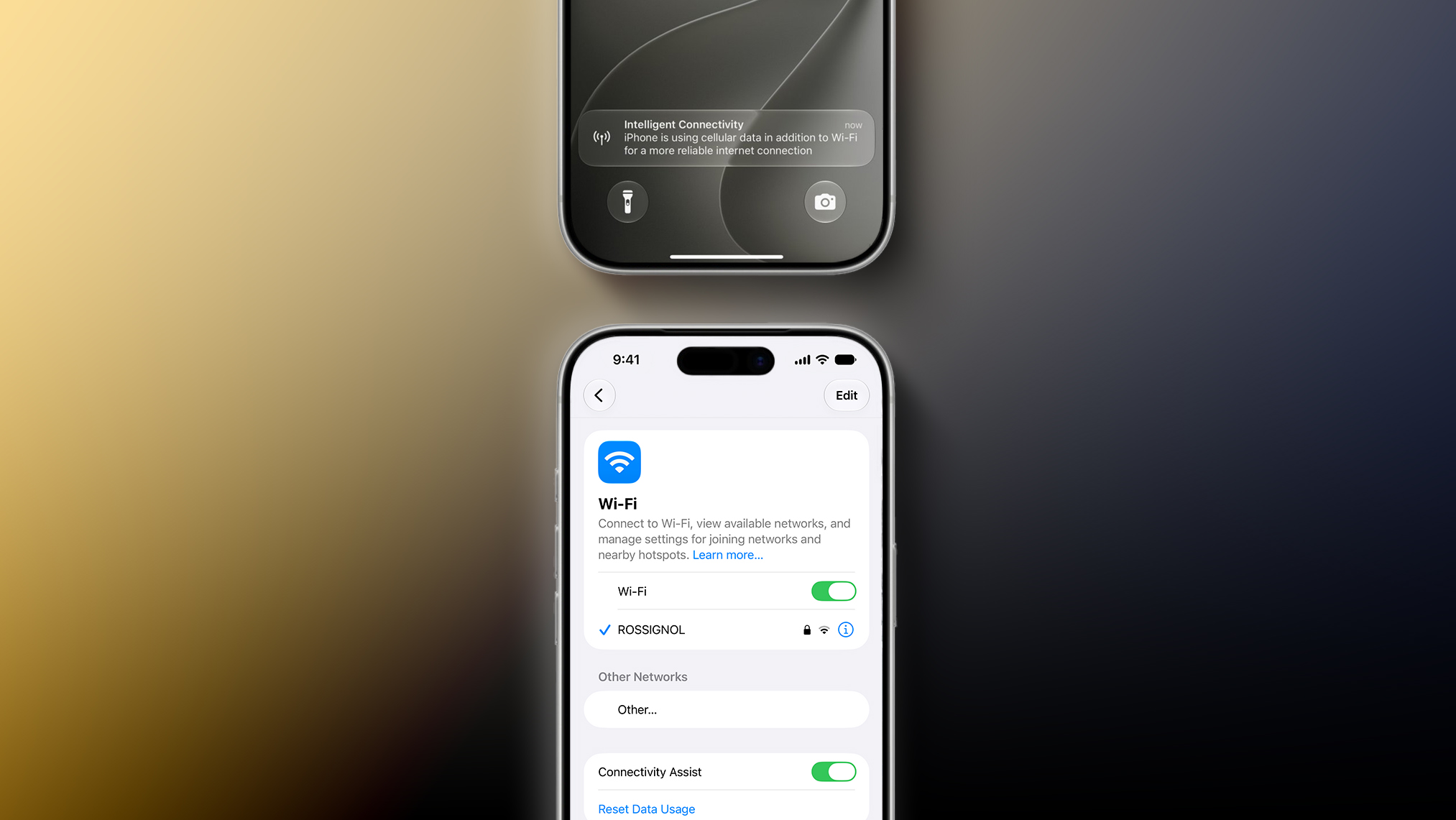
Connectivity Assist can be found in the Settings app under Wi-Fi on iOS 27 and iPadOS 27. Apple’s description of the feature says it lets you “use cellular data in addition to Wi-Fi for a more reliable internet connection.”
A support document on Apple’s website confirms that Connectivity Assist is the new name used on iOS 27 and iPadOS 27 for the feature previously known as Wi-Fi Assist, but it is unclear if there are any functionality changes.
On iOS 26 and earlier, Wi-Fi Assist automatically switches the device to cellular data when Wi-Fi connectivity is poor. Some early iOS 27 beta testers have speculated that Connectivity Assist seems to go further by offering combined Wi-Fi and cellular connectivity when it is active, but it is unclear if that is accurate.
On the iOS 27 beta, Flighty developer Ryan Jones and others have received a new “Intelligent Connectivity” notification when Connectivity Assist is active. It is possible that the feature now kicks in more aggressively.
On a related note, Apple said iOS 27 offers “smoother network transitions” in general.
“Your iPhone more seamlessly chooses the best available Wi‑Fi or cellular connection, so whether you’re getting directions as you leave home or taking a FaceTime call as you step off a plane, you’ll stay connected,” the company explained.
This article, “iOS 27’s Wi-Fi Settings Include Rebranded ‘Connectivity Assist’ Feature” first appeared on MacRumors.com
Discuss this article in our forums