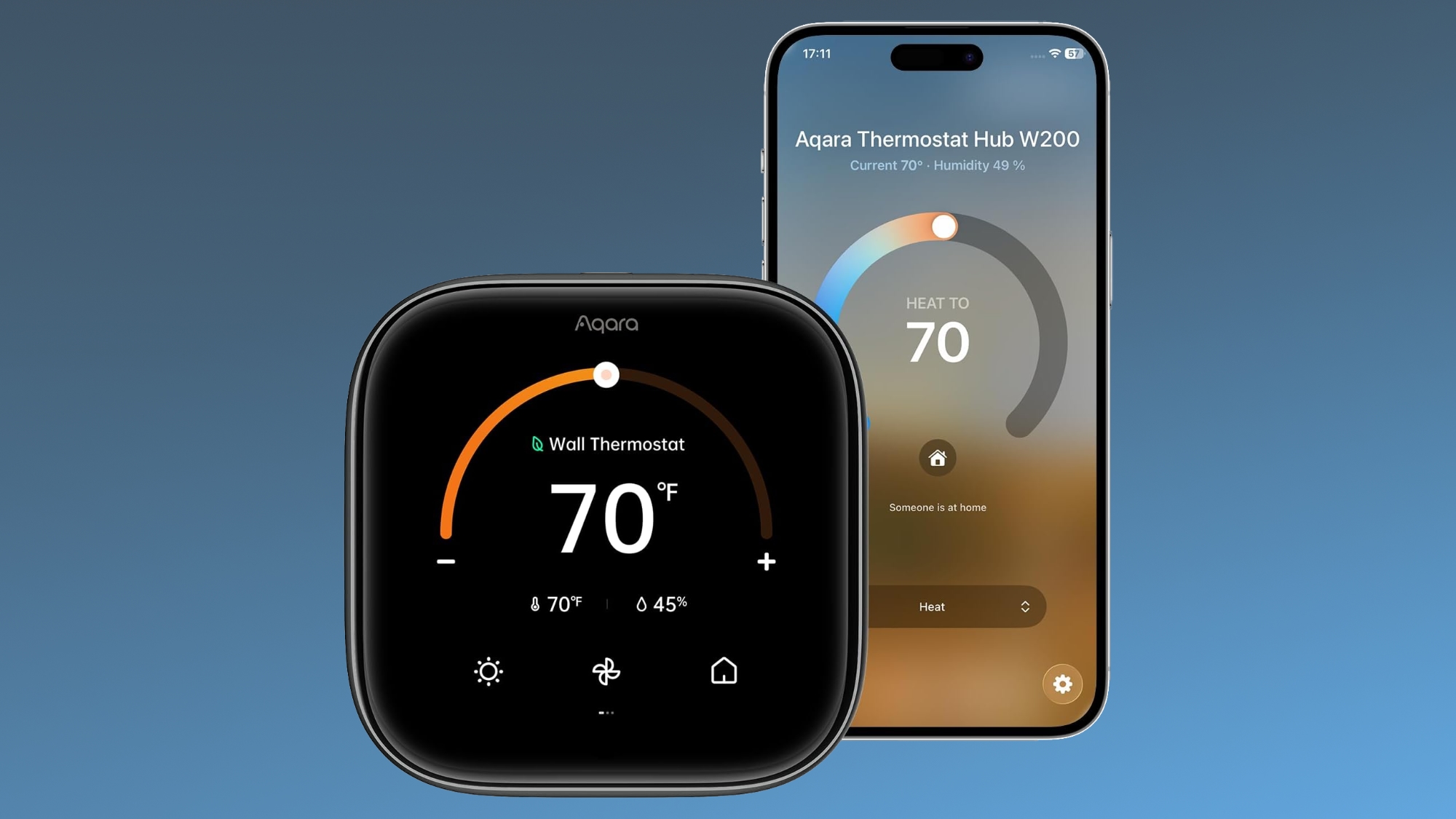
The W200 is Aqara’s first thermostat created for North America, and I’ve been testing two of them for the last couple of months prior to launch. The W200 is a thermostat, but it’s also a presence sensor and it serves as a hub for other Aqara and Matter devices with Thread and Zigbee integration.
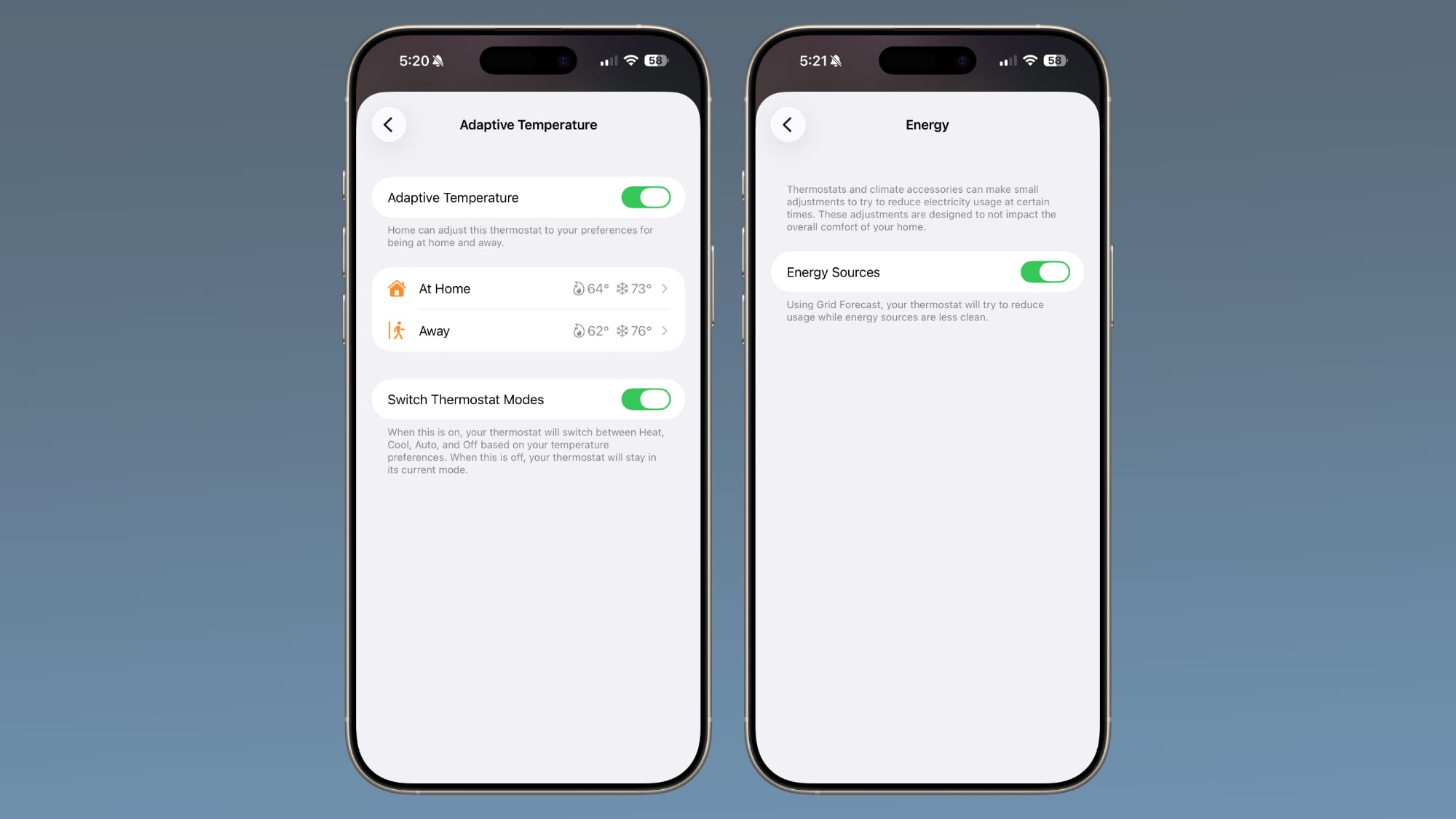
Along with those features, the W200 supports Adaptive Temperature and Clean Energy Guidance, two HomeKit features that Apple added in iOS 26. Adaptive Temperature intelligently adjusts the thermostat when you leave the house, arrive back home, or sleep to save energy. Clean Energy Guidance adjusts electricity usage when energy sources are less clean, timing heating or cooling to use cleaner energy when possible.
The W200 has a squircle design with rounded edges, and it’s a clean look that’s more square than Ecobee and larger than Nest. The interface features large text for the temperature, and it displays the time when it’s not active. The temperature can be controlled directly on the thermostat using the touchscreen, and all of the controls are also available in menus accessed with swipe gestures. The display does pick up fingerprints, and the fingerprints are noticeable on the glossy surface.
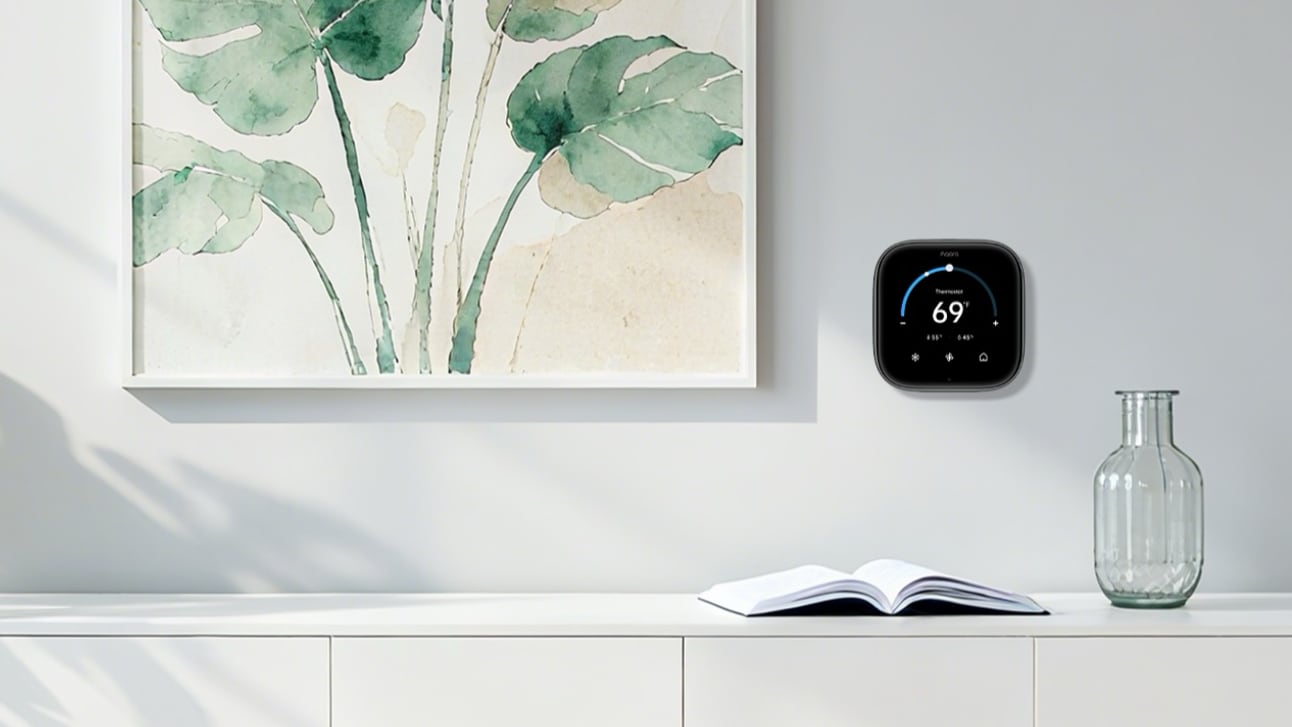
I replaced two Nest thermostats with the W200 thermostats from Aqara, and because they arrived just before I happened to have a HVAC checkup scheduled, I had them installed by the HVAC company I use. I could have self-installed and saved some money since I was going from one smart thermostat to another and the wiring was the same. Taking a picture of the existing wiring and mirroring that after swapping in the new thermostat would have worked fine. The worst part of swapping from Nest to the Aqara W200 was the different base plate shape. The W200 has a smaller base plate, so there are unpainted edges on the wall that I still haven’t fixed.
I have two heat pumps, one that’s single stage and one that’s dual stage. The dual stage heat pump operates as single stage because it’s controlled by the onboard computer, so there’s nothing too fancy in my setup. The W200 works with heat pumps (electric and geo-thermal), along with furnaces, boilers, and other heat sources.
There’s a mmWave radar in the W200 that recognizes when a person is in the room and when it is being approached. The display on the thermostat activates when someone comes close, and the sensor is also used for activating heating and cooling schedules through the Aqara app and for Adaptive Temperature based on whether someone is home, or even in the room the thermostat is in.
The Aqara app has its own smart schedules that can be enabled that are distinct from Adaptive Temperature, but you have to choose between Apple Home control or the Aqara app. I tried both, but preferred the Adaptive Temperature interface because it was less complicated. Adaptive Temperature is basically a home or away setting, while Aqara has different time of day options. You can choose neither and control the temperature manually, ask Siri to change the temperature, or set up HomeKit automations based on time of day or other HomeKit devices. There are a lot of control options, so the W200 will do what you need, whether that’s something simple or a complicated schedule. You will need a full Apple Home setup with an Apple Matter hub (HomePod or Apple TV) to use the W200 with HomeKit.
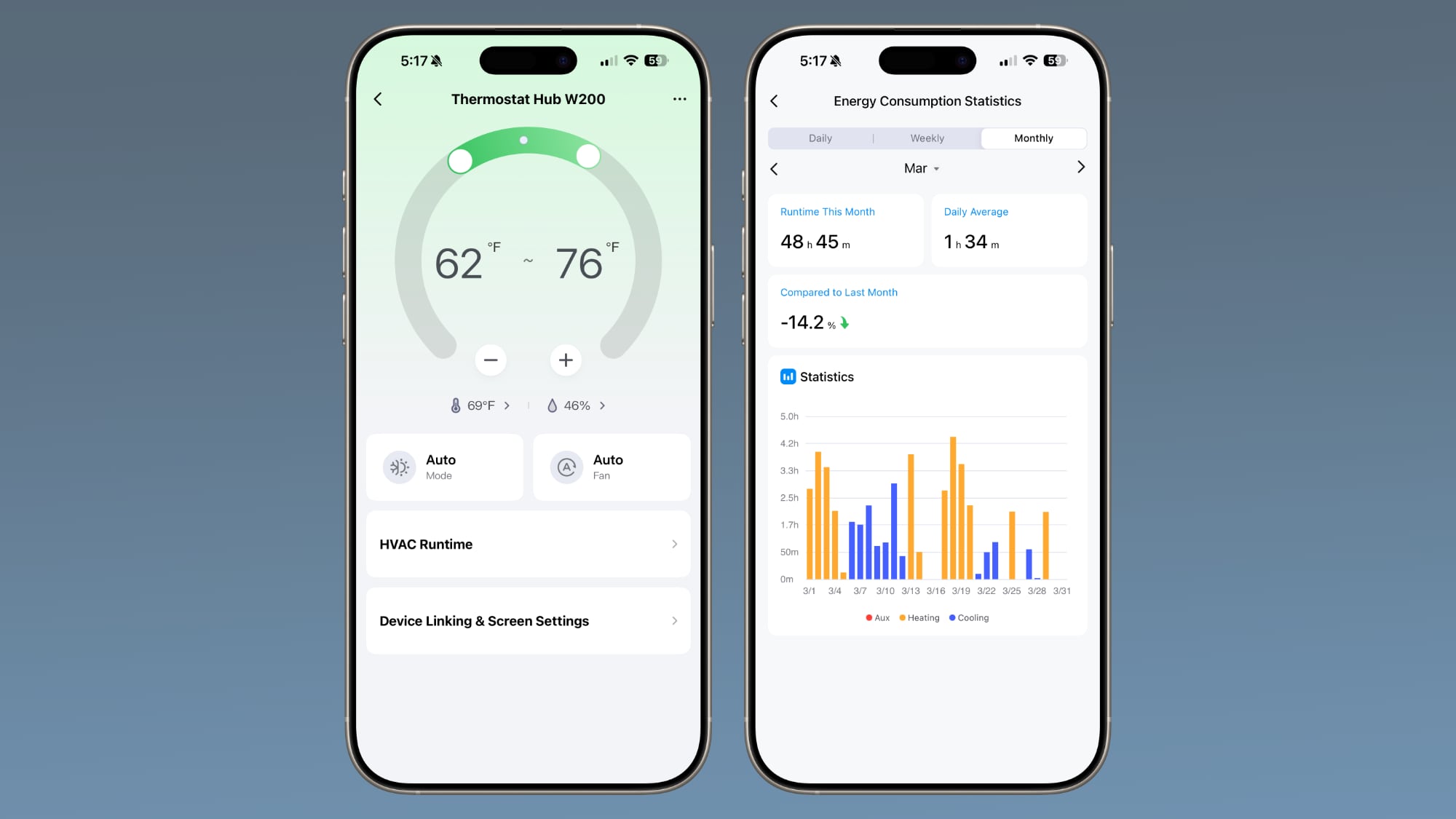
I don’t know how often most people change their interior temperatures, but mine is typically static. I work from home and live in North Carolina, where it gets humid. In the summer, I have to run the AC to keep it from getting too humid for my wood floors, and in the winter, it at least has to be warm enough for my plants, and those things need to happen whether I’m home or not. Heat pumps are more efficient at a steady temperature, so I’m not doing things like turning down the heat at night. Adaptive Temperature and all the options for changing heating and cooling throughout the day are aimed at people who have furnaces and can make better use of the electricity savings, but I do appreciate the scheduling for occasions where I do need to adjust temperature frequently. If you have a system where time-based changes result in electricity savings, you’ll get the most out of the W200.
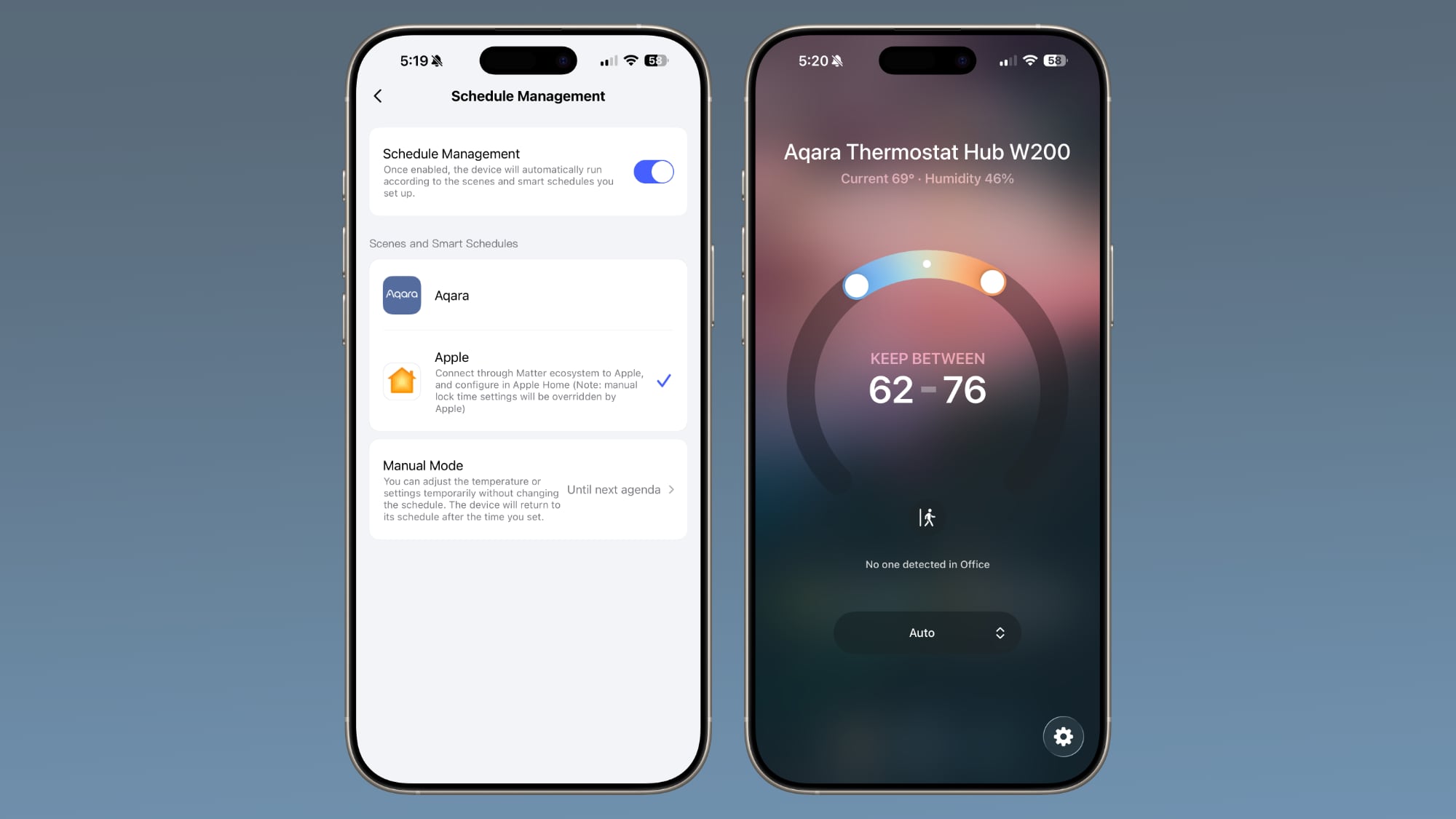
Aqara could benefit from simplifying some of its products, but the company seems to focus on making a huge variety of options available so customers can pick and choose how they want to use a device. Aqara’s smart locks support unlocking with fingerprints, NFC, smartphones, codes, and more, and that same versatility is available with the W200.
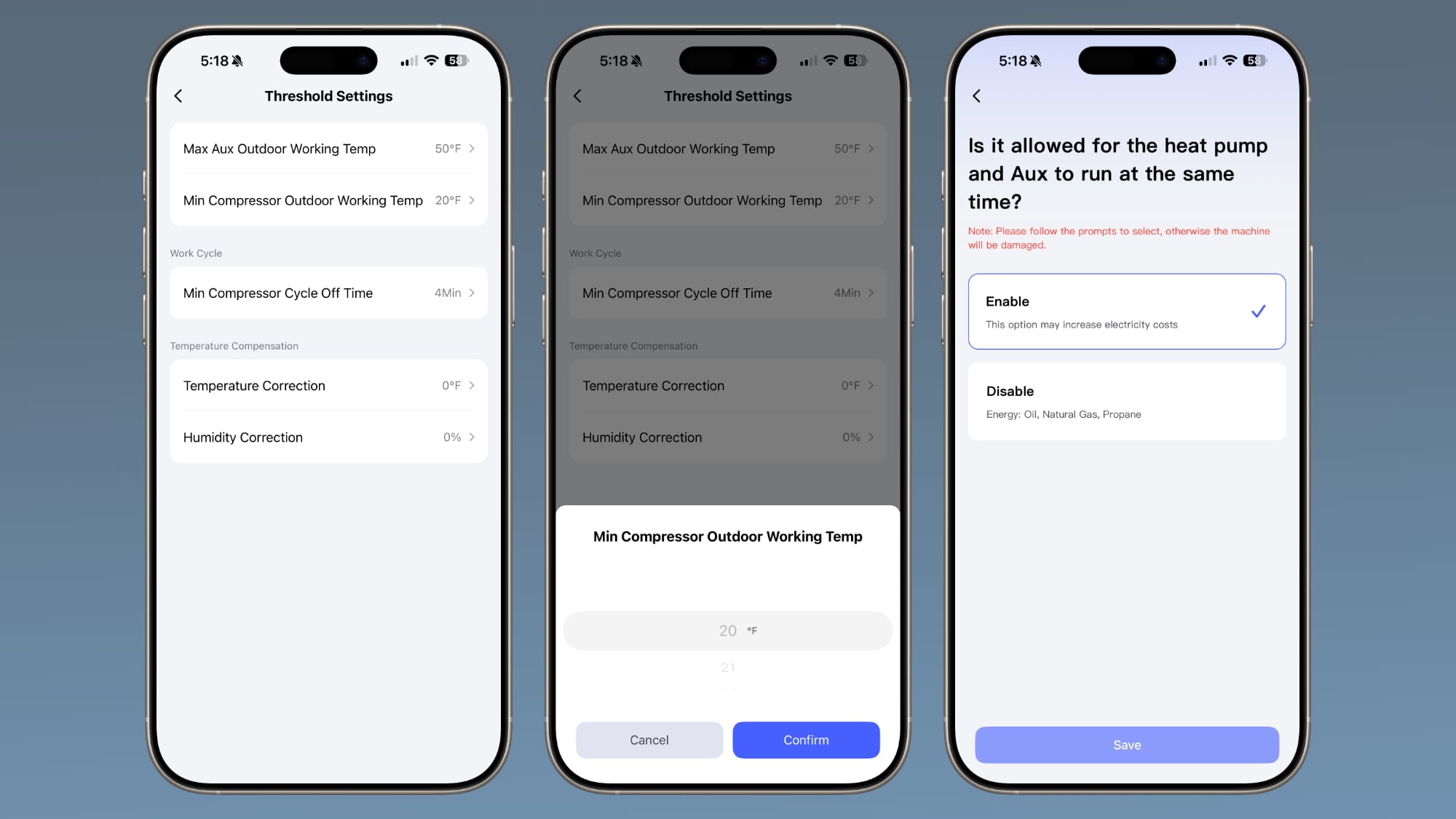
I did run into an issue with the W200 during testing, and it’s still not resolved. The thermostat has a “Min Compressor Outdoor Working Temp” that can’t be set below 20 degrees Fahrenheit. That suggests to me that it switches to auxiliary heat at that point, and that’s not what I want it to be doing. Newer heat pumps for cold climates can operate below 20 degrees, and I want to minimize aux heating because mine is electric and expensive. I asked Aqara about this, and they suggested turning off the “Enable to work with heat pump” feature in the Aux settings, but their setup flow says to enable the aux and heat pump setting if the auxiliary heat is electric. The app says “Please follow the prompts to select, otherwise the machine will be damaged,” when directing me to select aux heat settings, and since I am not an HVAC expert, I don’t want to choose the wrong option.
The auxiliary heating and compressor temperature wording is unclear in the app and on the thermostat, and communicating with Aqara did not help. My HVAC tech said I might not want to use this thermostat because I can’t set the compressor to continue to run at a lower temp. On an Ecobee thermostat, there is a setting to minimize auxiliary heat usage, and the compressor lockout can be disabled, but I don’t have those settings on the W200. Aqara said the heat pump wording in the app will be updated in the future, but I’m still not sure the thermostat is giving users adequate control over heat pumps, so do some research before you choose it if you have a heat pump. We don’t have a lot of days under 20 degrees here, and I wasn’t able to test the thermostat at that temperature during the review period.
If you have other Aqara devices like a video doorbell or lock, the W200’s display can show snaps from the video feed or unlock the door, plus it works with the Aqara Presence Multi-Sensor FP300 and Climate Sensor W100 for automating heating and cooling based on temperature readings and occupancy in different rooms of the house. It can also integrate with and control other Matter devices, but I use Apple Home for that so I don’t need the Aqara hub to act as a Matter Controller.
Bottom Line
Compressor lockout and aux heating confusion aside, I had no other complaints about the W200. It worked as expected, was more reliable than my prior Nest thermostat, and added useful automation features. I think it’s worth looking at as a HomeKit-compatible alternative to Ecobee if you want the latest Apple Home features like Adaptive Temperature.
How to Buy
The Thermostat Hub W200 can be purchased from Amazon for $160. A C-wire adapter is sold separately for $30 for setups that do not have a C-wire.
Note: Aqara provided MacRumors with two W200 thermostats for the purpose of this review. No other compensation was received.
This article, “Aqara W200 Thermostat Launches With Apple Adaptive Temperature and Clean Energy Support” first appeared on MacRumors.com
Discuss this article in our forums