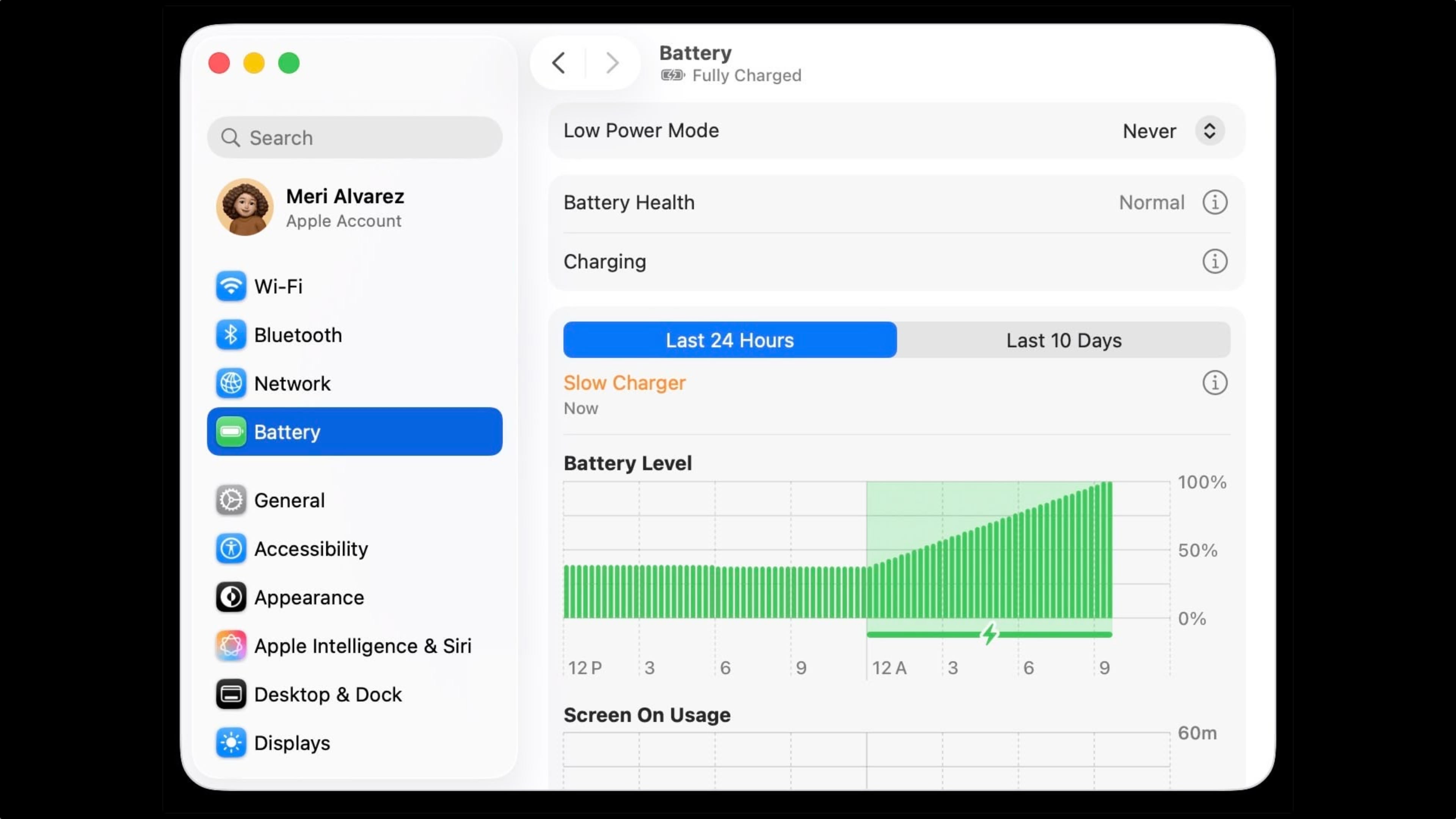
As described in an updated Apple support document, a “Slow Charger” label now appears in orange text in the battery status menu and above the Battery Level graph in Battery settings. The indicator is accompanied by an info button for more details.
Apple says that to charge more quickly, users should use a power adapter and cable that deliver at least the minimum wattage recommended for their MacBook model.
The feature is similar to one Apple added to iPhone with iOS 18, where periods of slow charging appear as an orange bar in the Battery section of the Settings app.
The slow charger indicator is one of two battery-related changes in macOS 26.4. The update also adds a Charge Limit feature that lets MacBook users set a maximum charge level anywhere from 80 to 100 percent, with the aim of preserving long-term battery health.
macOS Tahoe 26.4 is available now via System Settings ➝ General ➝ Software Update.
This article, “macOS Tahoe 26.4 Adds Slow Charger Indicator for MacBooks” first appeared on MacRumors.com
Discuss this article in our forums